Basic Room Controls
Oculus Quest 1 & 2
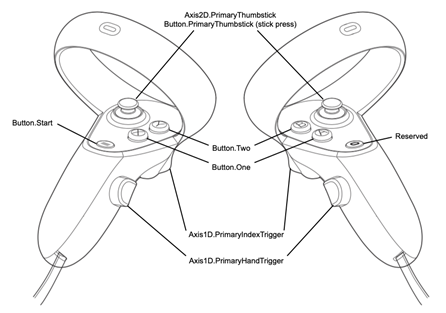
Figure 1
Controller |
Action |
|---|---|
Thumbsticks |
Turns the player view |
X & A |
Hold to show teleport angle and release to teleport to the spot |
Y & B |
None |
Index Triggers |
Select or use interactable buttons/features |
Hand Triggers |
Produces laser pointer |
To see the toolbar using a VR headset, the user can look down and it will appear with all the similar functions of a desktop.
Another function unique to the VR headset is that the personal note taker can be seen on the left wrist of the avatar. This note taker is used for personal note taking use only.
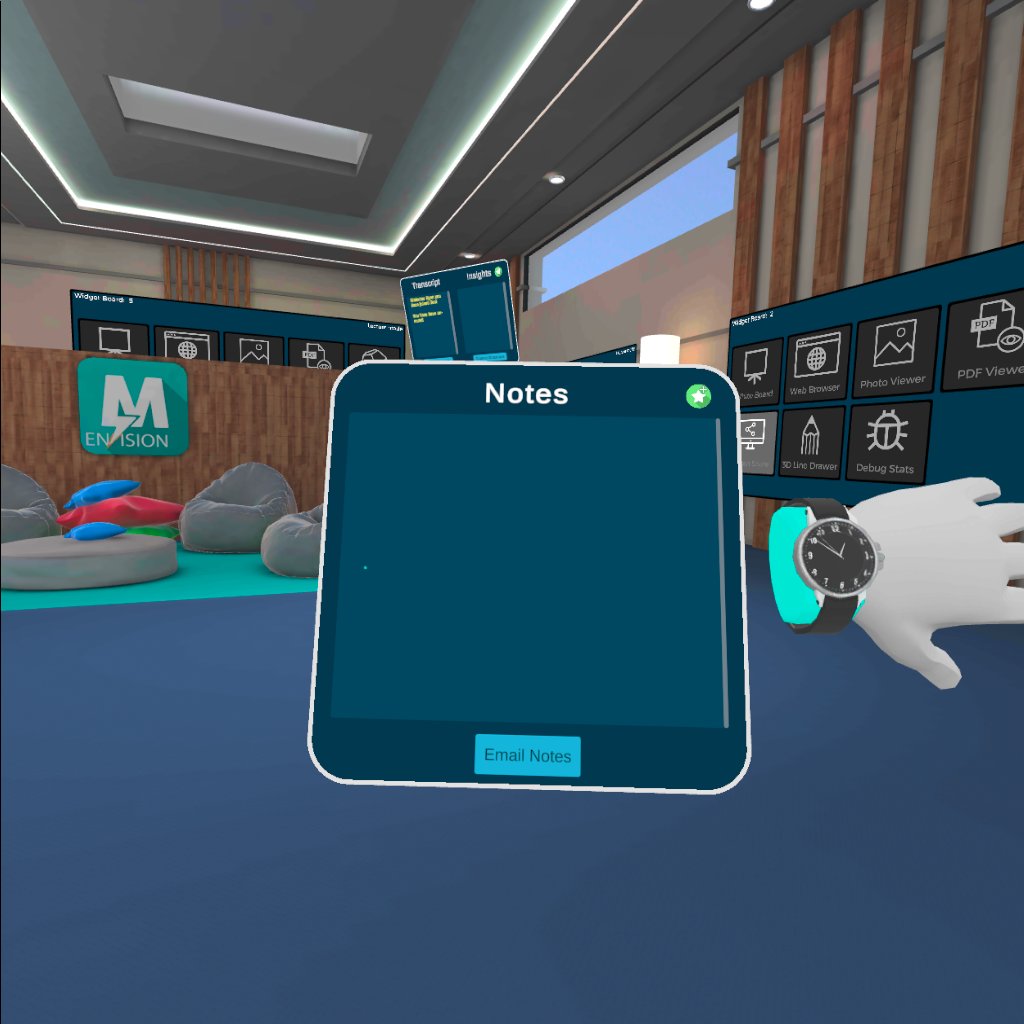
Figure 2
Desktop
Controller |
Action |
Mouse |
Cursor Movement |
Left Click |
Select or use interactable buttons/features |
Right Click |
Hold and move mouse to turn |
W-A-S-D keys |
Movement |
M key |
Toggle Mute |
CTRL + M |
Toggle Mic Echo |
Sitting
VR: Hold the grip trigger to create a laser pointer from the controller, then hover over a chair which will create a vortex above the seat (Figure 3). Then press the trigger to teleport onto the seat.
Desktop: Hover the mouse over the seat until vortex appears then left click onto the seat to teleport there.
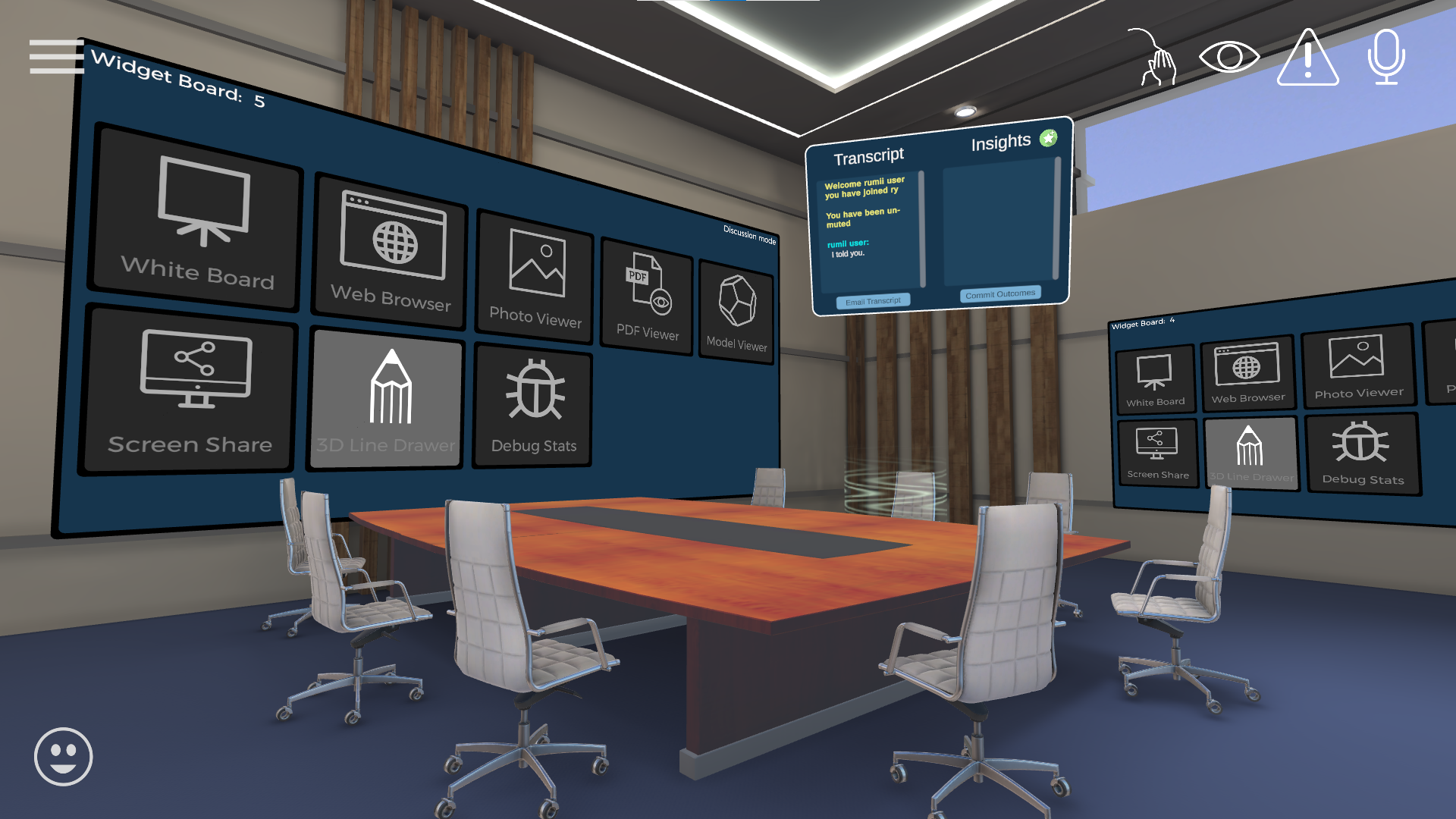
Figure 3